From three fragmented .exe tools engineers worked around — into one unified testing experience they finally work with.
Customer
Intel
Role
UX Designer
Duration
3 months
Year
2024
3 → 1
Tools unified into one platform
10%
Reduction in new test cycle setup time
< 30 sec
To find error in structured logs
100%
Adopted as Intel's internal standard
A seventy-two hour stress test has just failed on its sixty-eighth hour. A debug engineer opens the first .exe to find the failed slot, the second to read the live status, the third to scroll through eleven thousand unformatted log lines looking for the moment it broke.
One question. No good way to answer it before morning review. My organization and Intel's long-standing engineering partner, brought me in. The brief was a protocol migration. The opportunity was much bigger — redesign the tool engineers had worked around for over a decade into one that respects the expertise of the people who use it every day.
Legacy system
LabVIEW backend, 15 years of layered features. Only the interface layer was in scope.
Stakeholder alignment
Expanding scope from migration to full redesign required mid-project buy-in from both teams.
No disruption to live tests
Any change failing a running stress test was a non-starter. Additive, never breaking.
Preserve existing workflows
Engineers relied on established mental models. The redesign had to feel familiar, not foreign.
01 Empathize
The platform had become something engineers worked around, not easy to work with.
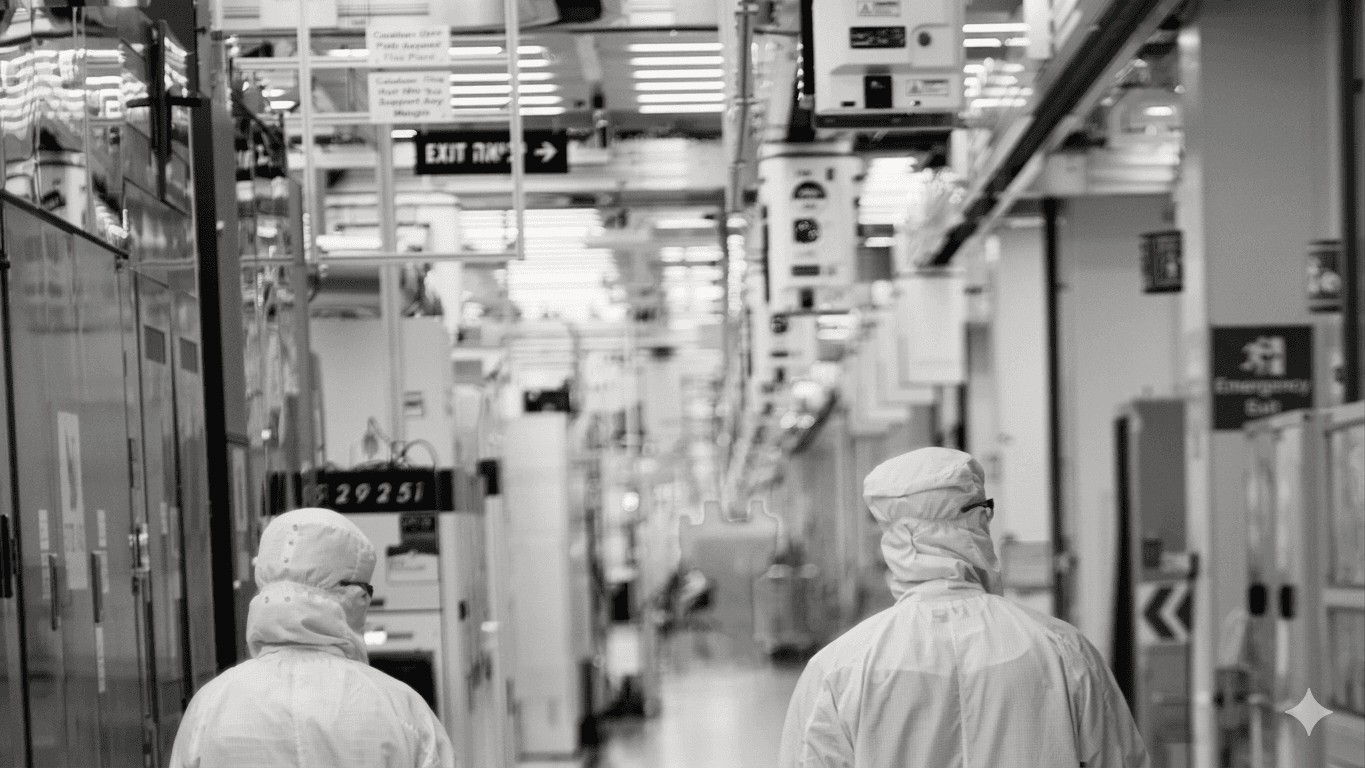
— Debug Engineer · Week One of Interviews
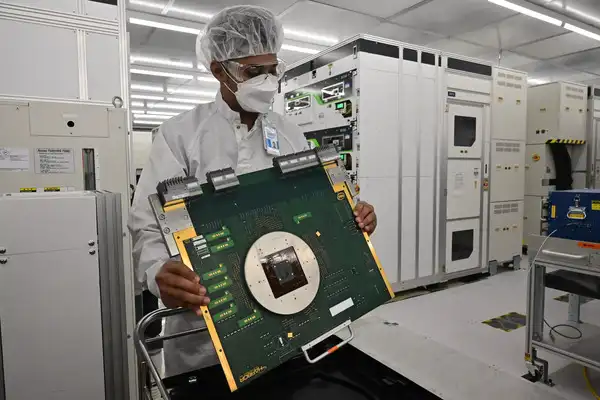
(Image credit: Intel)
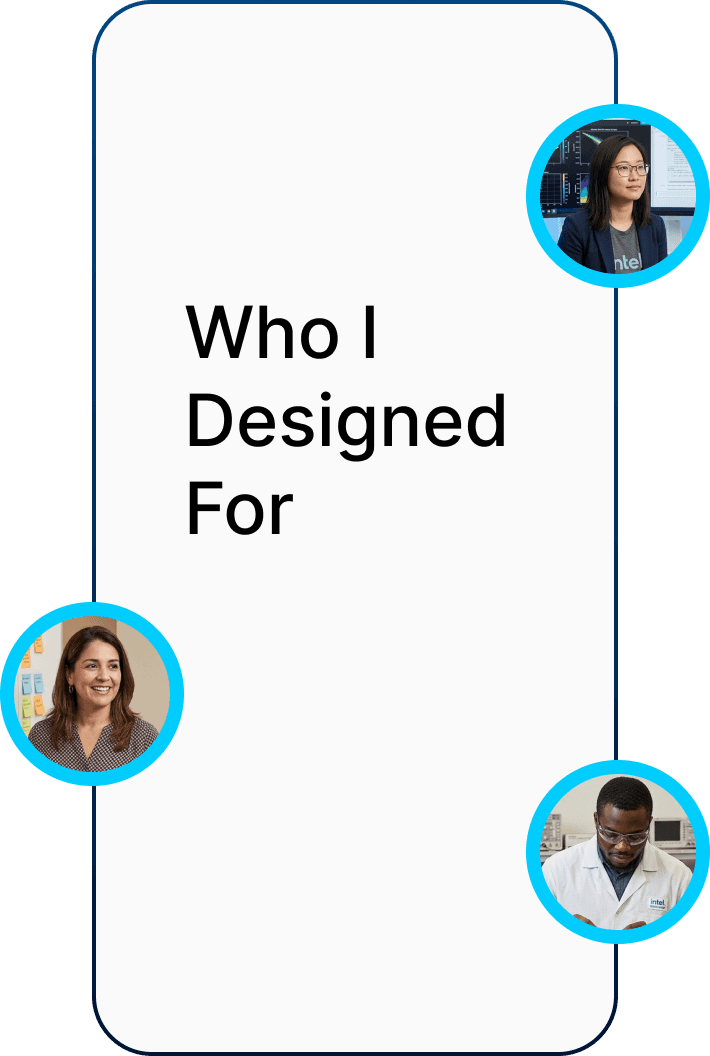
01
Lab Technician
Speed & clarity
Loads devices, configures tests, starts runs. No room for guesswork.
02
Debug Engineer
Depth, not simplicity
Investigates faults mid-test. Also acts as Station Controller.
03
Test Manager
Visibility at a glance
Loads devices, configures tests, starts runs. No room for guesswork.
Before interviewing anyone, I walked a full test cycle myself — configuration, monitoring, debugging — and documented every step alongside the question I had at that moment. The questions were where the design opportunities lived.
STAGE 01
Launch configuration .exe, assign DUTs via dropdowns

STAGE 02
Save config, switch to monitoring .exe, start the test
STAGE 03
Open the separate debug .exe, load the latest log file
STAGE 04
Scroll through unformatted text, correlate timestamps by hand
STAGE 05
Manually track alarms and failures in a side document
I ran extended interviews with all three user groups across multiple weeks — asking about moments where they felt slowed down, what they would change, and what they had stopped noticing. None of them had ever worked with a designer before. The first sessions were spent simply learning their language: GEM protocols, LOT structures, stress test cycles, instrument chambers.
(Image not included due to NDA)
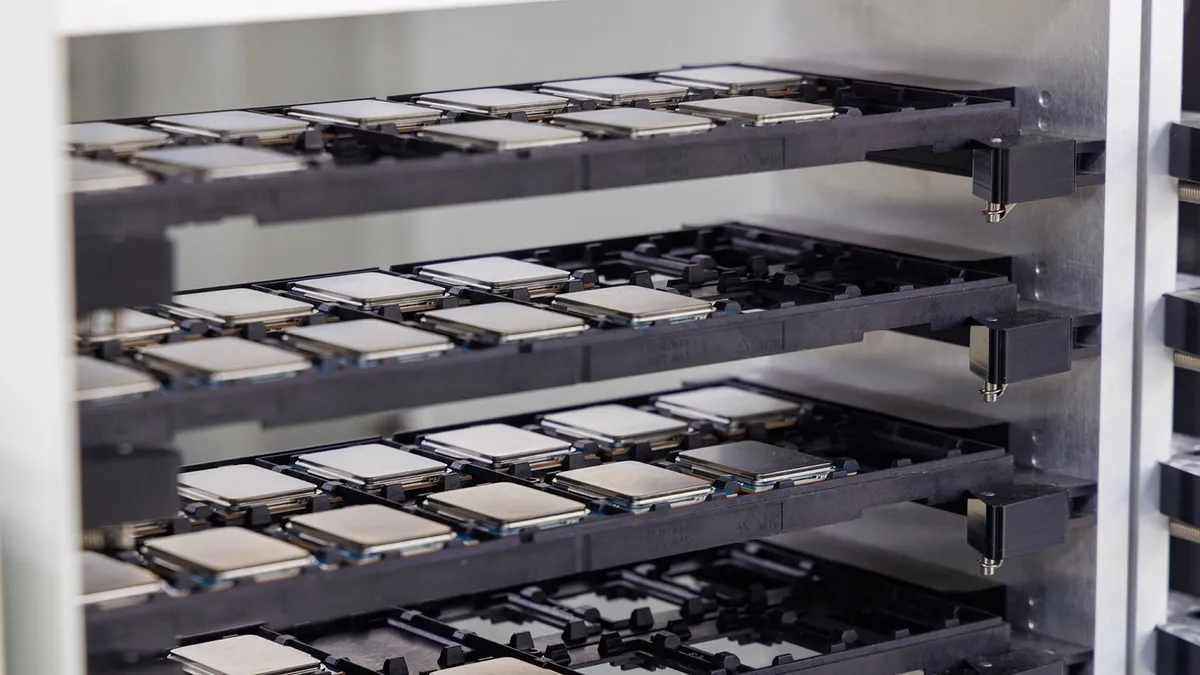
— The Pivot Moment · Week Three
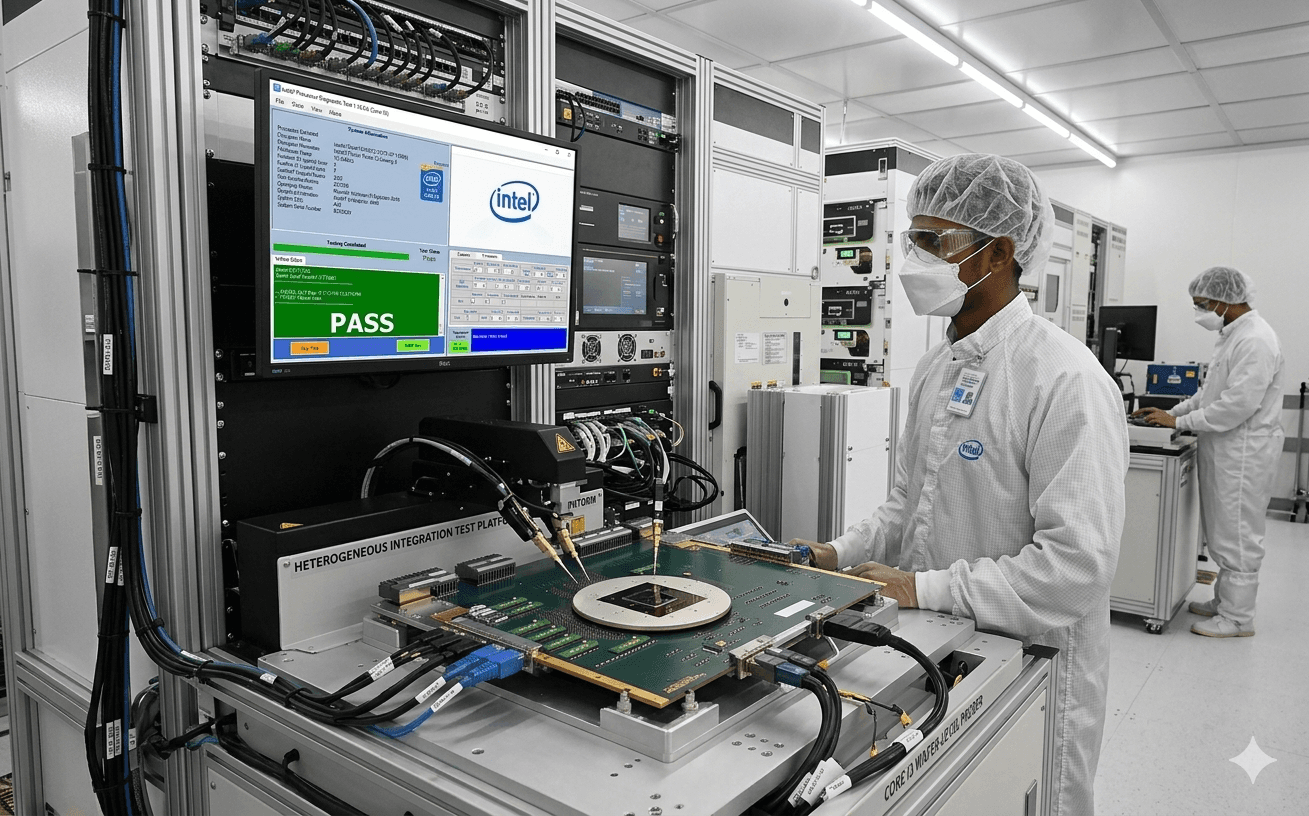
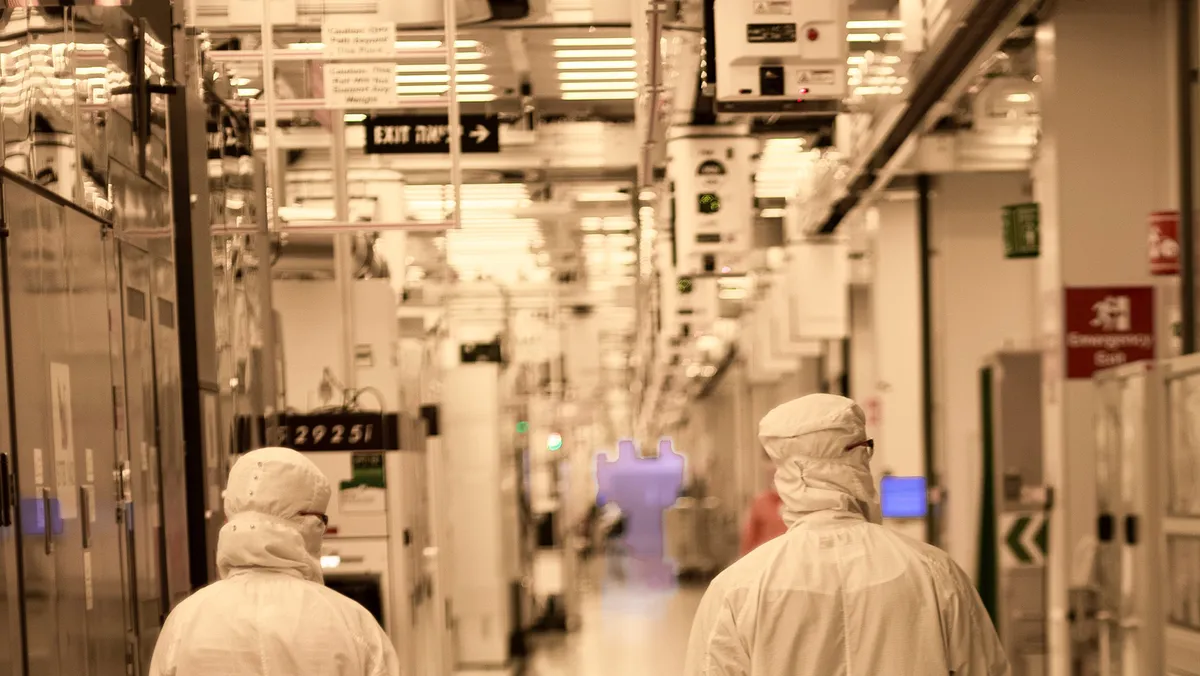
(Image credit: Intel)
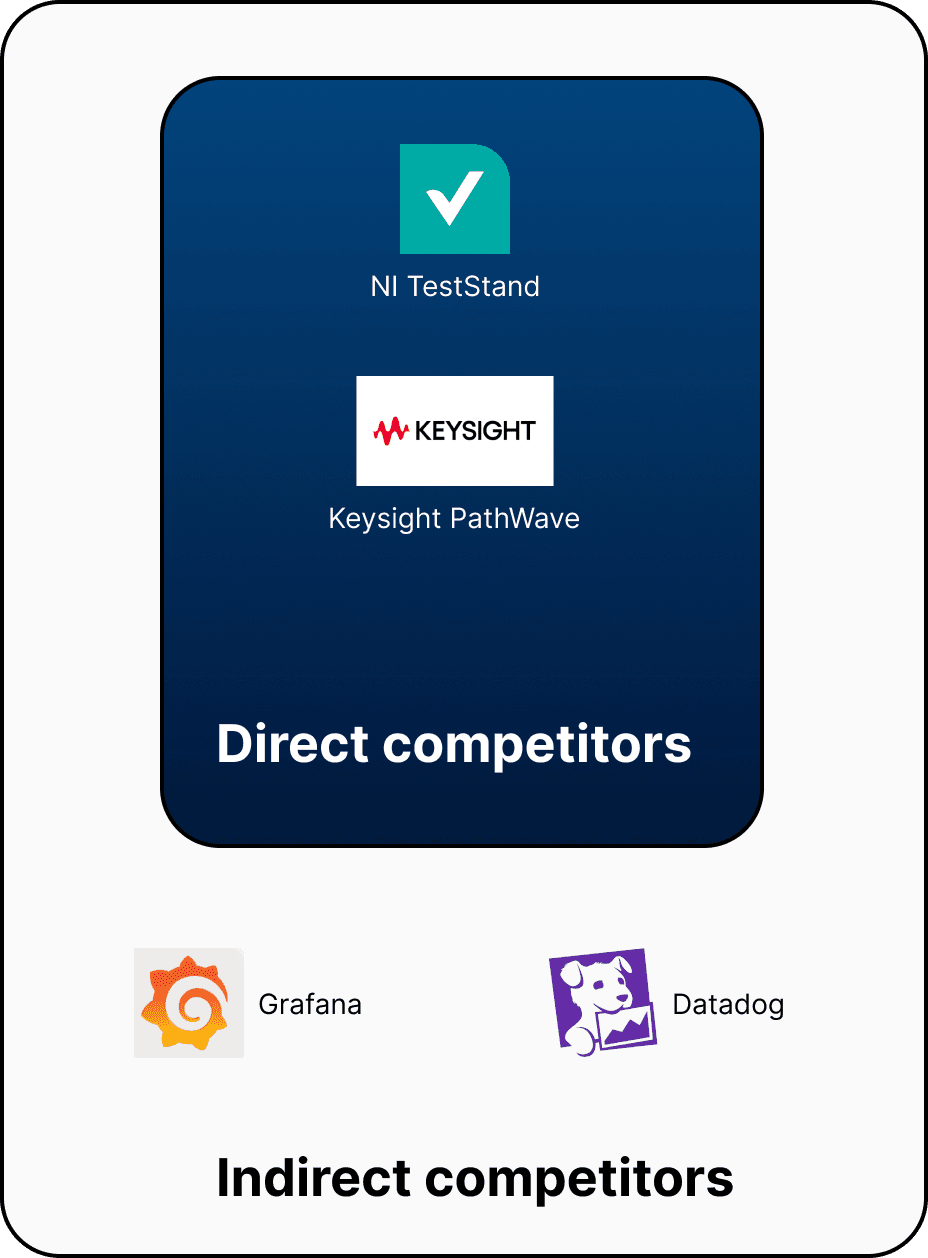
Direct comparators — NI TestStand and Keysight PathWave — set the baseline for what engineers in this space already expected from professional tooling, and showed how far the existing toolchain lagged.
The more useful references were Grafana and Datadog. Same core problem: high-volume live data, expert users, fast triage under pressure. Three patterns transferred directly: severity colour coding for the log view, persistent filter state so engineers don't lose context while drilling in, and an always-visible status strip that became the global alarm bar.
The insight wasn't "copy a dashboard tool." Observability software had already solved the fast-triage-for-experts problem. The work was translation.
Test Planning & Assignment

Switching between separate tools for planning and execution breaks workflow continuity
Preparation & Setup
Relying on external documents (spreadsheets) instead of integrated data creates constant cross-referencing
Mapping Physical to Digital

No linkage between physical setup and software forces engineers to depend on memory
Configuration & Execution
Referencing docs/standards in another Device
Monitoring & Error Handling

Monitoring happens in a different exe, disconnecting real-time context
Analysis & Completion
Debugging requires switching to another tool with no unified trace of the test
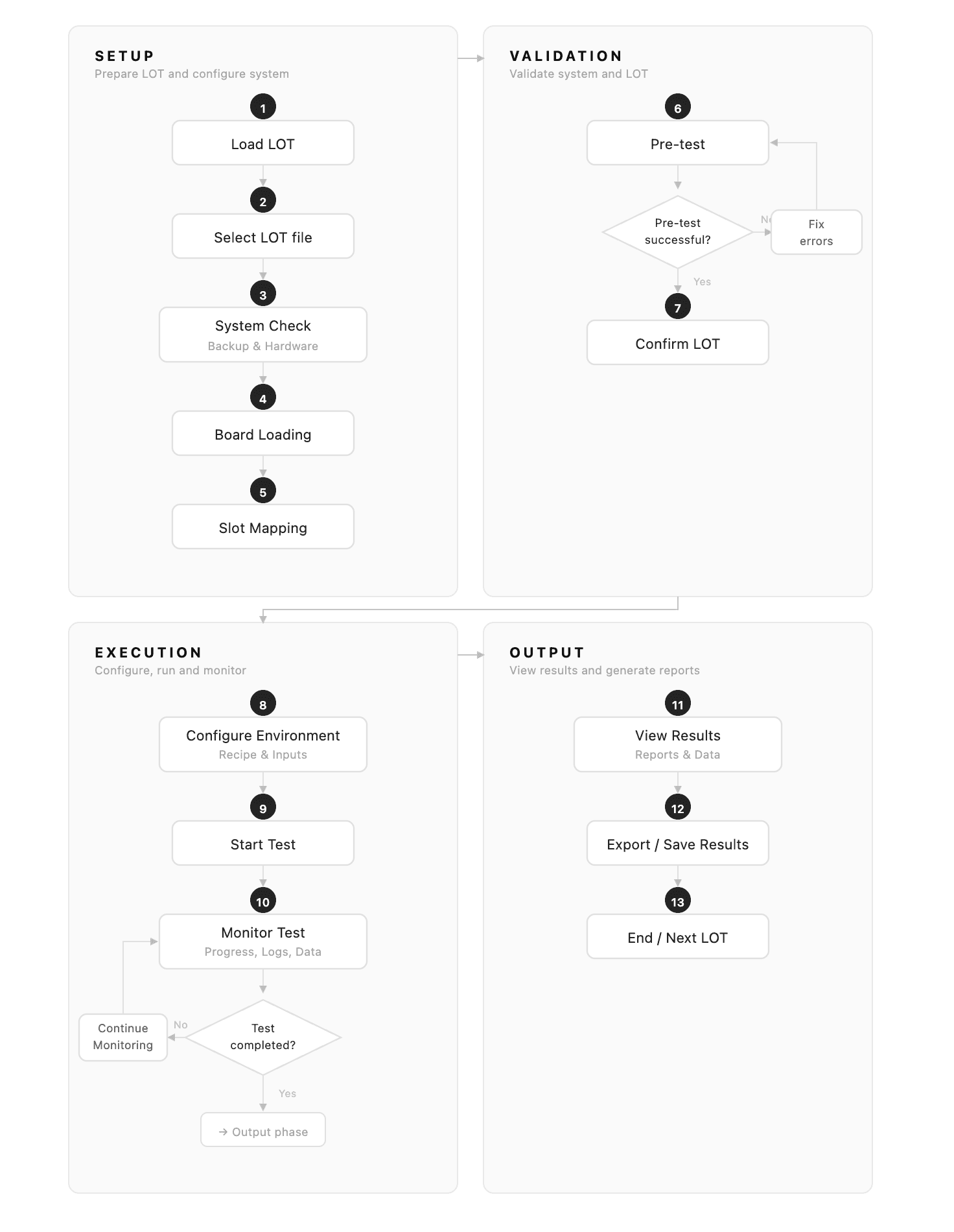
I mapped a debug engineer's journey across the three existing tools and marked every moment he had to switch contexts, cross-reference a window, or rely on memory. The journey made it obvious: every painful moment was a moment between tools,
Design Principle
The instinct in UX is to simplify. Strip it back. Make it easier.
That was the wrong instinct here. These were expert users in a high-stakes environment. They didn't need less information — they needed better access to the information they already knew how to use.
03 Design
Each question led to a single, deliberate design decision.
HMW · 01 / 05
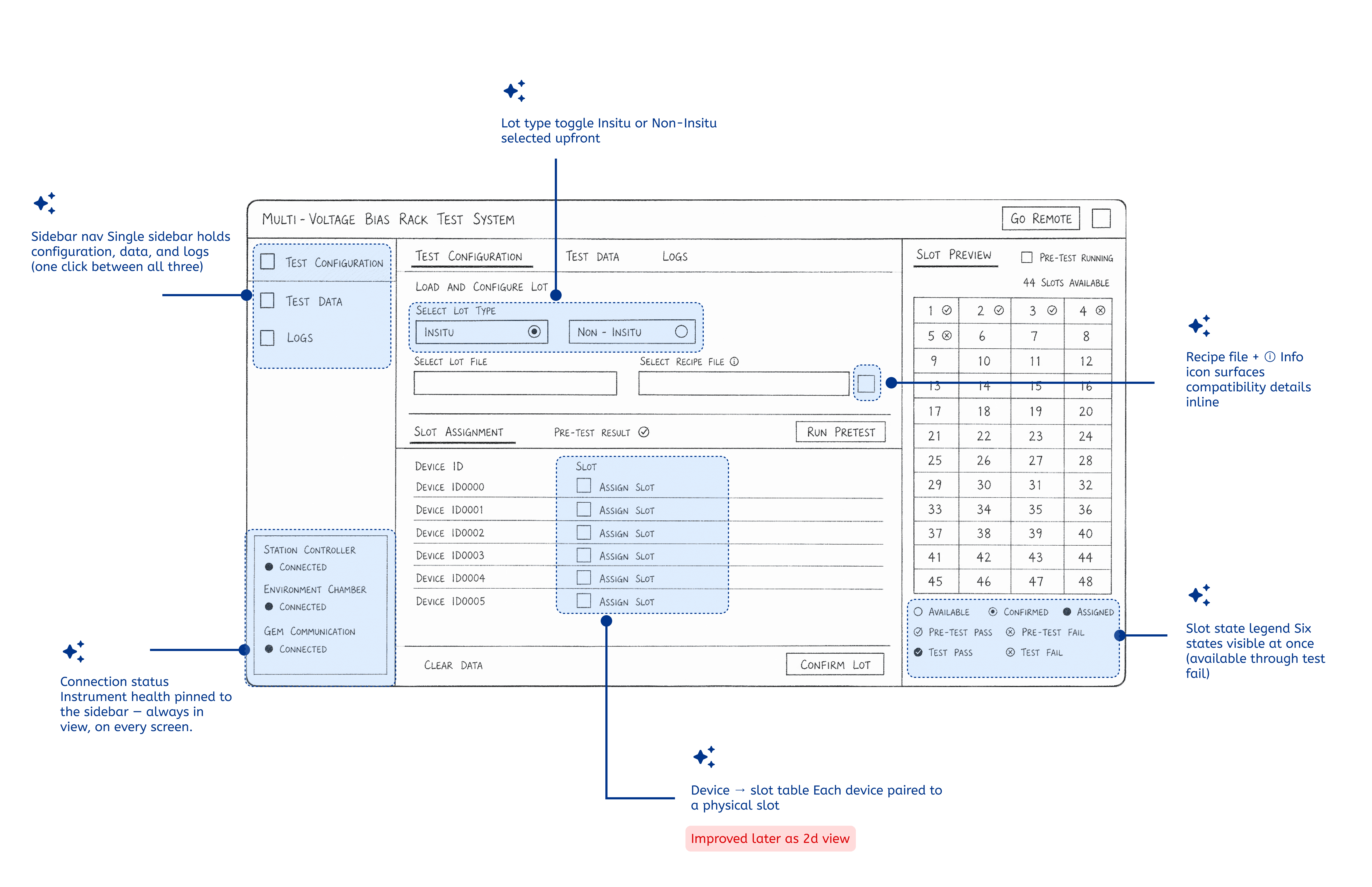
How might we bring everything into one place?
Solution
Configuration, monitoring, debugging, and logging live in a single tool. The sidebar — Load LOT, Test Status, Logs — keeps every function one click away. Engineers never leave the app to investigate.
HMW · 02 / 05
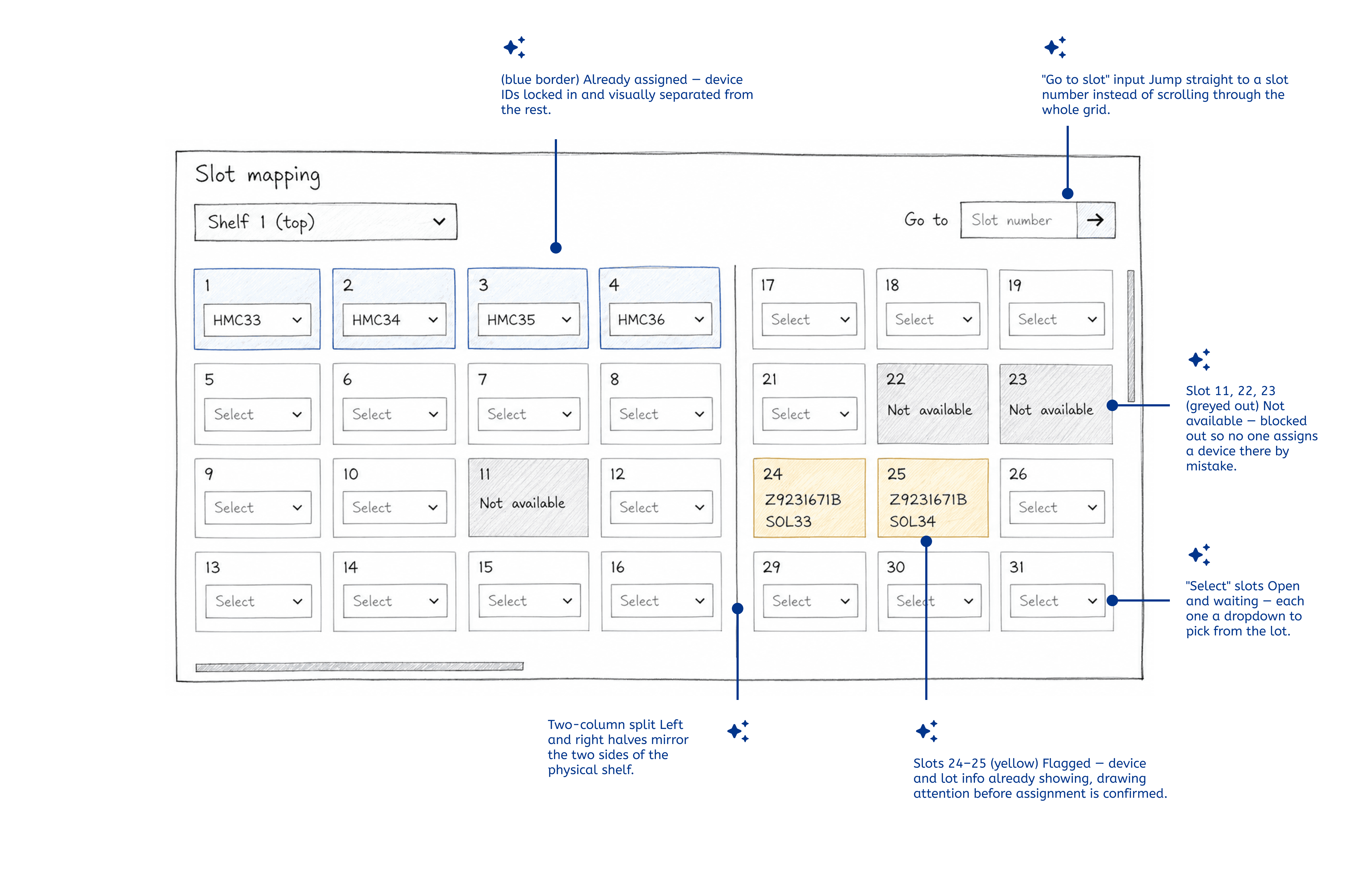
How might we make slot assignment match the physical world?
2D spatial slot grid
The new grid mirrors how boards sit in the instrument. Slots show availability at a glance; drag-and-drop replaces dropdowns. What you see on screen matches what you see in the lab.
HMW · 02 / 05
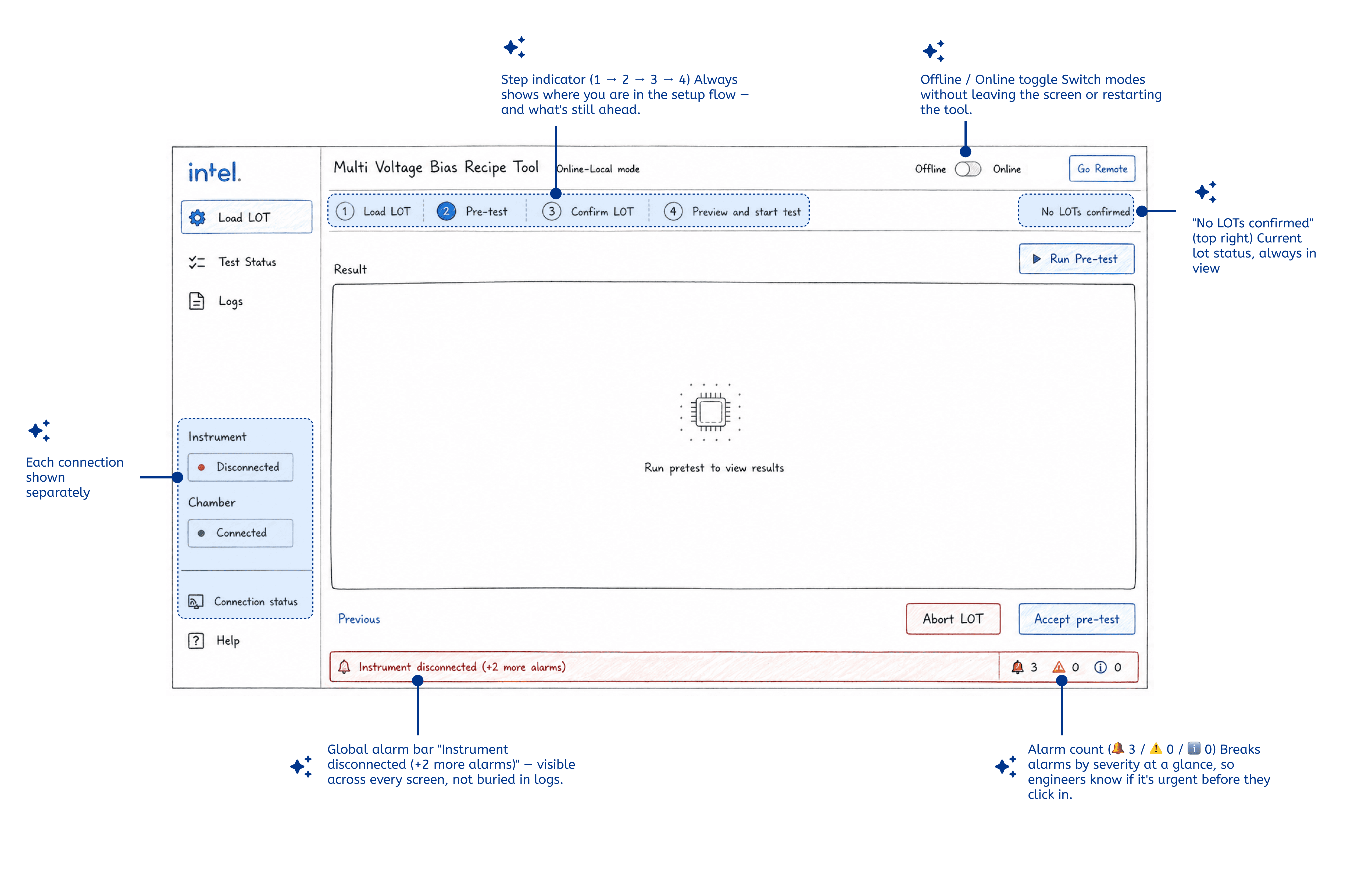
How might we surface status without engineers hunting for it?
Visibility at every level
Connection status sits persistently in the sidebar. A global alarm bar surfaces critical alerts across every screen. A step indicator keeps engineers oriented through the four-step setup flow.
HMW · 02 / 05
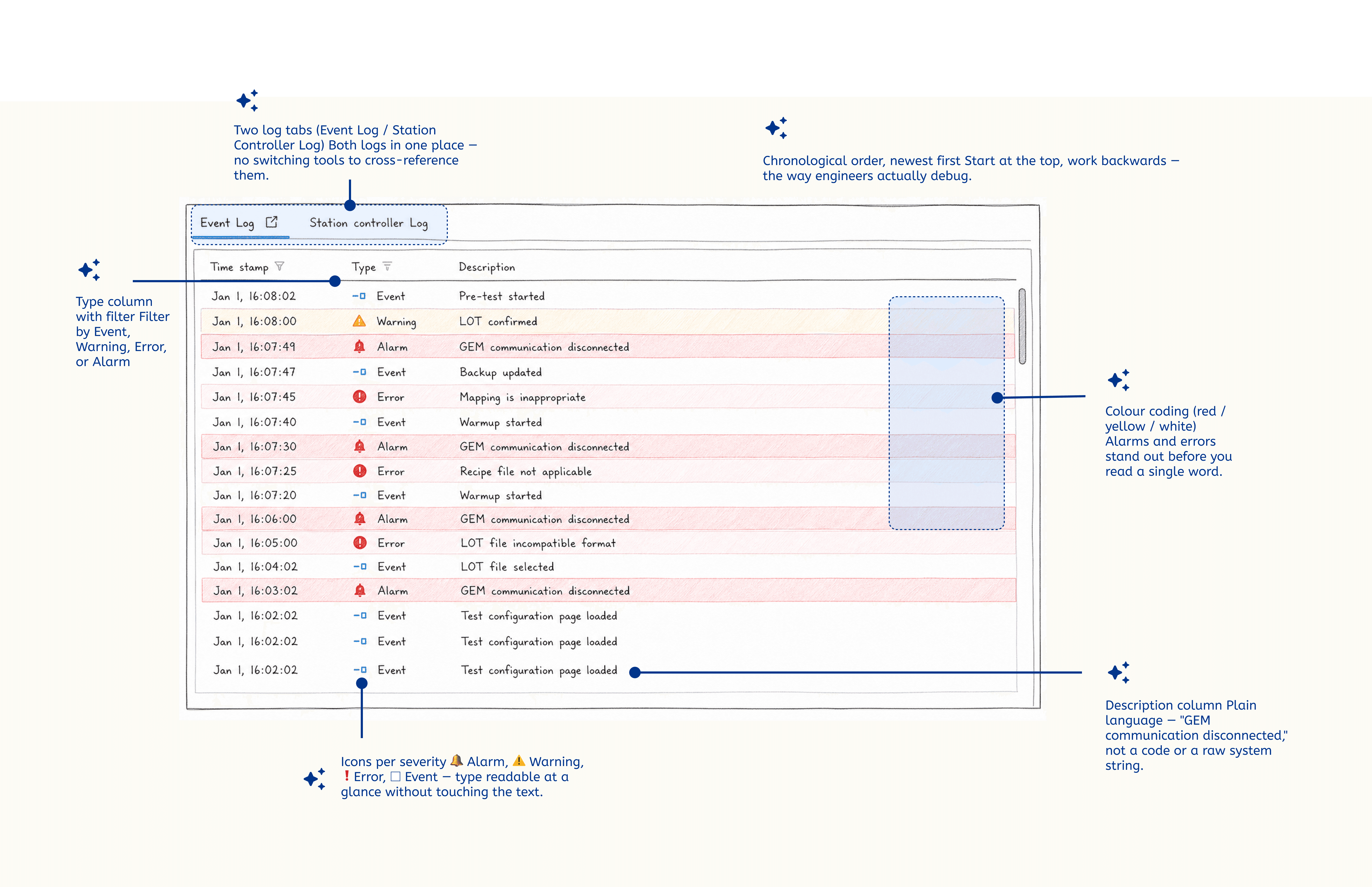
How might we make logs actually usable for debugging?
Structured, filterable, colour-coded logs
Event and station-controller logs consolidated. Entries are timestamped, categorised — Event, Warning, Error, Alarm — and colour-coded by severity. Filter, jump, find the first error in seconds.
HMW · 02 / 05
How might we let engineers investigate failures without leaving the test?
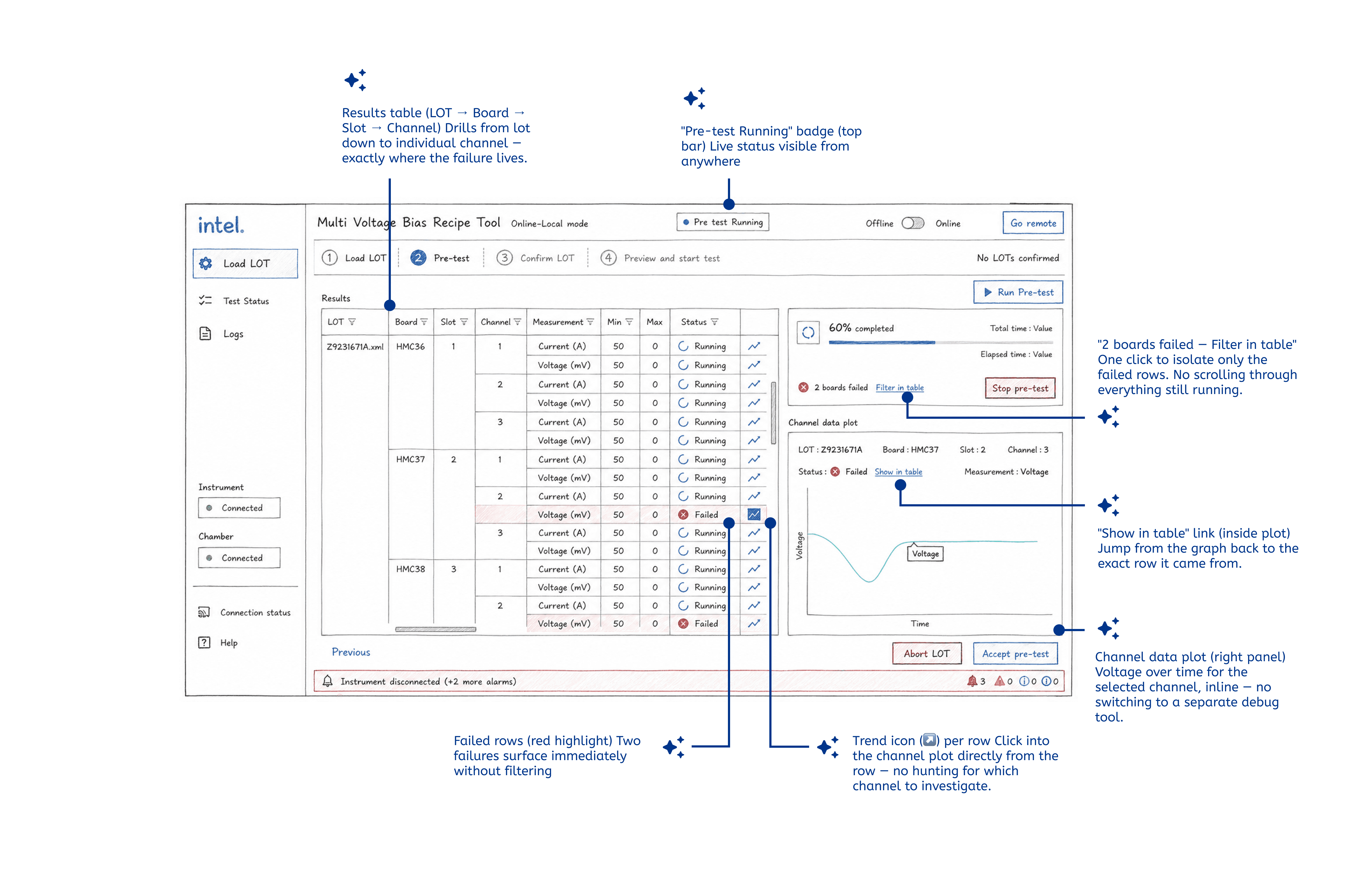
Inline pre-test investigation
Pre-test screen shows live results per channel, a progress indicator, and an inline channel data plot. If a board fails, engineers filter and drill in — right there, without switching tools.
Outcome
Nearly Zero
Placement errors in post-redesign testing
3 → 1
Tools unified into one platform
< 30 sec
Time to first error in structured logs
Placement accuracy
The spatial slot grid eliminated board placement mistakes. Lab Technicians completed assignment without any reference sheet.
Completed full assignment without a reference sheet for the first time. Zero placement errors across three test runs — previously a known point of failure.
— Lab Technician · Slot assignment on the 2D grid and DUT configuration.
Three roles, one source of truth
Lab Technicians, Debug Engineers, and Test Managers now share one application — adopted as Intel's internal standard for device testing.
Saw every active run at once, without drilling into a sub-menu. Described the overview as the first time seeing everything at once.
— Test Manager · Dashboard review — test status visibility across active runs
Debug speed
Logs, alarms, and channel data plots accessible inline. Debug Engineers located the first error in under 30 seconds, every session.
Located the first error in under 30 seconds during each session, vs. several minutes of manual scrolling in the old tool.
— Debug Engineer · Log navigation, error filtering, and inline pre-test result review.
04 Learnings
I came in with no background in semiconductor testing — GEM protocols, stress test cycles, instrument chambers, LOT structures — and had to learn all of it before I could ask useful questions. The engineers I was working with had years of specialised knowledge.
The value of observation
More than any interview question, watching engineers work in their actual environment revealed the workarounds they'd long stopped noticing. The paper diagram taped to the monitor — used to cross-reference slot positions because the interface offered no visual reference — was the moment I understood how wide the gap had grown.
The value of iteration
Each round of sketches and prototypes brought the tool closer to something engineers recognised as theirs. With more time, I'd run a second usability round after visual design and document a design system for future additions.
What I would do differently
I would involve the Test Manager persona earlier. The need for a global status view became fully clear only late in research — and turned out to be one of the most powerful moments in usability testing. That insight should have been in week one.
05 In the future
The patterns established here — the spatial slot grid, the structured log view, the persistent status sidebar, the step indicator — could extend across Intel's hardware testing ecosystem. Over time, a shared language reduces learning curves and makes the next redesign cheaper to ship.
The spatial slot grid could pair with real-time sensor data from the instrument shelves themselves — highlighting a slot running hot, flagging a board drawing unexpected power, surfacing an anomaly before it becomes a failure. The interface wouldn't just mirror the physical world; it would augment it.